

Hands-on review: SteelSeries Arctis Nova Pro Omni wireless gaming headset
Mon, 29th Jun 2026.webp)
The uncompromising SteelSeries Arctis Nova Pro Omni is a wireless headset that works across Xbox, PlayStation, Switch, PC and mobile gaming platforms.
I only had good things to say about the SteelSeries Arctis Nova Pro back in 2022 with its Gamedac external sound card. I was expecting much the same thing with the Arctis Nova Pro Omni, but what I got was much better.
The box states "designed for Xbox", which usually means that you'll be able to use it with your Xbox, PC and, if you are lucky, your mobile phone. It's a similar story with PS5 licensed headsets; they'll work with the stated device, but anything else is a bonus. It's rare to find a wireless headset like the Arctis Nova Pro Omni that'll work with all your devices. But this is not an ordinary headset.
The box includes the headset, a wireless game hub unit, two USB Type‑A to USB Type‑C cables, a foam microphone pop filter, and two rechargeable batteries. One battery comes pre‑installed in the headset.
The swappable spare battery is a brilliant touch. It slots neatly behind the speaker plate on the right earcup, so while one powers the headset, the other charges in the game hub. In the hub, the battery is held in place rather loosely by a spring that presses it against the chassis, but it does the job, so it's hard to complain.
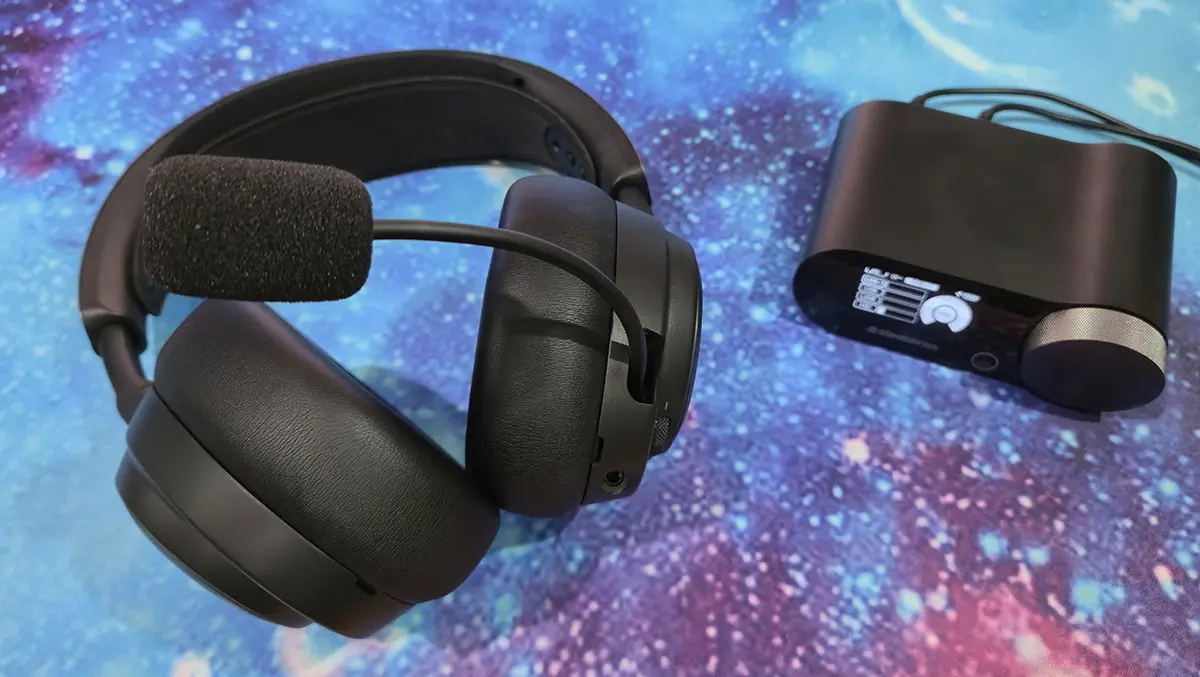
The game hub unit includes an audio line-in and line-out, along with three USB Type-C ports, one of which, USB 3, is labelled "Xbox". While it only comes with two USB cables despite having three ports, it's enough to get started. Setup is simple, you just connect the game hub to your devices via the USB cables, switch on the headset, and you're ready to go.
The front of the game hub has an OLED display screen, a secondary touch button, effectively a "back" button, and a control wheel with a push button. A long press of the control wheel brings up the menu. The first menu option allows you to select the current USB input. You can also select the USB 3 input's Xbox mode (which is the default).
Next are the audio options. You can independently set the 10-band equaliser for both Bluetooth and 2.4G from flat, bass boost, speech-friendly focus, smiley (which is a symmetrical sag curve and your own custom settings.
The gain setting adjusts the maximum sound output. This can be set at low or high. Noise control gives you the option to switch ambient noise control on or off and choose between high, medium or low. You can also switch on transparency and adjust over eight levels to hear background noise. Finally, the mic settings adjust sidetone (hearing your own voice), mic volume, the mic EQ and noise cancelling.
Wireless lets you swap between 2.4G and Bluetooth. You can also re-pair the headset, select the 2.4G mode between hi-res fidelity or maximising range. Bluetooth options include setting the BT default, auto mute and clearing paired devices. Line out selects the type of output device between speakers or stream.
There's also the opportunity to adjust the device settings, changing the display brightness, home screen and power saving. A short press of the control wheel switches between volume control and the game/chat audio mix.
Aside from the functional, but ever so slightly janky, way the battery is inserted to charge, the game hub looks very stylish, with any cabling neatly coming out of the back and easily hidden. It's powered by your devices via the USB cable, so there's no power supply to mess about with. The game hub can just sit on your desk, in easy reach, controlling the audio for all your devices.
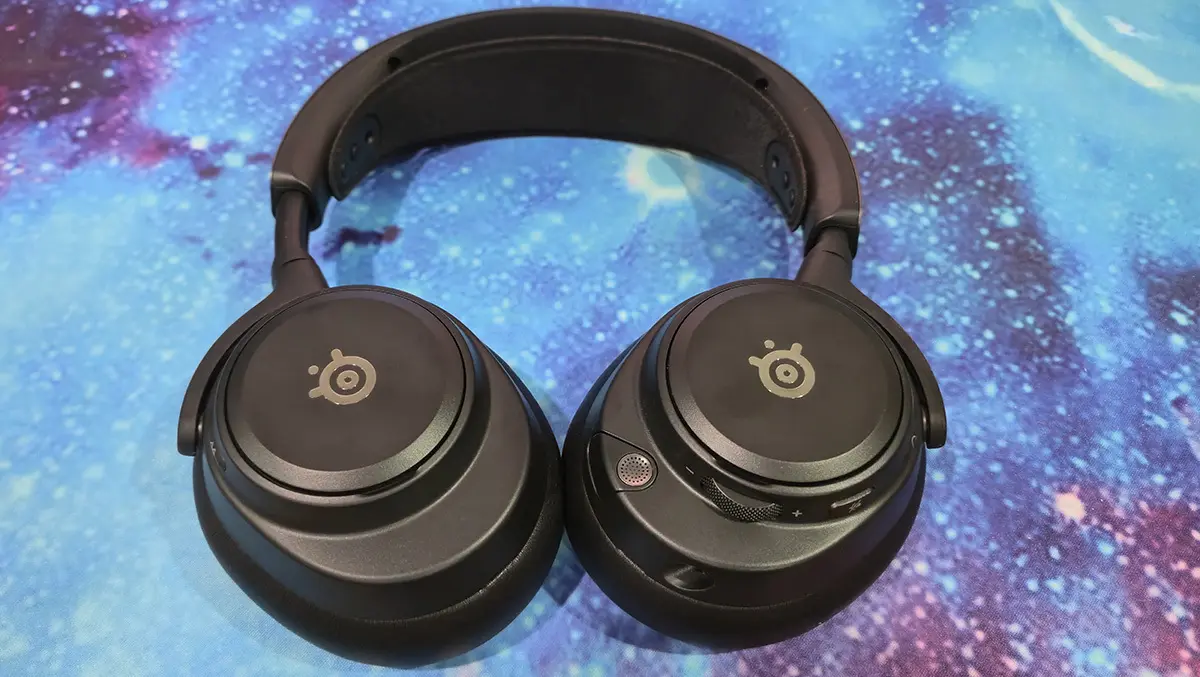
The Arctis Nova Pro Omni headset has a sleek black design, featuring soft, cushioned pleather earcups and a retractable boom microphone. Instead of traditional padding, the headband uses an adjustable elastic strap, while the metal frame adds both durability and flexibility. The earcups offer four-way movement and can lie flat against your chest when the headset rests around your neck or on a surface. Overall, the fit is very comfortable. The earcups sit snugly without being too tight, providing effective passive noise isolation even without activating noise cancellation.
It's not a lightweight headset, but it's light enough without feeling flimsy. It feels solid and sturdy, capable of putting up with some heavy use.
On the left earcup is an adjustable boom mic with an optional sponge pop filter. The boom mic can be stowed away, becoming a discreet mic that works pretty much just as well, but without the pop filter. The left earcup also houses the no-nonsense headset controls. There's a single on button, a mic mute button and a radial volume dial.
Behind the speaker plate on the left earcup is a USB Type-C port. Plugging in a USB cable, I could see on the game hub screen that the headset battery was being directly charged.
Interestingly, there is also an undocumented audio jack on the underside of the left earcup. It worked well with a 3.5 mm audio cable, allowing the headset to connect to a PlayStation 5 controller. Noise-cancelling wasn't available, but it is still a useful extra feature.
The right earcup houses the replaceable battery, which can be found behind the SteelSeries-branded speaker plate. The Bluetooth pairing button can also be found on this side.
The Arctis Nova Pro Omni headset not only works with all your devices, but it can be connected to all of them at the same time, as well. And, if you want to use just the headset as a pair of cans for listening to audio on your phone, you just conceal the mic in the earcup and connect via Bluetooth, leaving the game hub at home.
So, it looks good, is comfortable to wear and versatile, but what does the Arctis Nova Pro sound like? Well, I'm pleased to say the headset sounds great. Add in the active noise cancelling, and you have a soundscape that envelops you.
Be it listening for footsteps in Call of Duty, playing remastered James Bond themes or podcasts on Spotify, the audio is crisp and clear. Setting the EQ to bass and cranking the volume up to the max, and you still get uncompromising, all be it thunderous, crisp audio.
The active noise cancelling blocks out distractions and allows you to fully immerse yourself in your chosen audio environment. The level of immersion is adjustable via the game hub, and the ANC can be switched off completely via a press of the headset's on button.
The headset really delivered during my testing with a desktop PC, PlayStation 5 Pro, Xbox Series X, Switch 2 and Samsung Galaxy Z Fold 6. No matter what device, you will be impressed by this headset's audio.
On PC, there's the SteelSeries GG companion app. Most of the functionality is also available via the game hub, with a few additional features. The most important are the custom EQ profiles tailored to quite a few popular games. These are not just PC games, either. There are Nintendo games as well, so you can set the EQ profile on your PC and then swap over to your Switch and enjoy audio tuned for your particular game.
The GG app also allows you to upgrade the game hub and headset firmware, something I was prompted to do as soon as the headset paired with the software. This was painless, requiring both the game hub and the headset to be physically connected to the PC for the update to start.
The GG software includes an optional Sonar module that provides advanced chat mix, AI noise cancellation, and sound mixing features. That said, the SteelSeries GG app can feel a bit pushy, as it will worm itself into Windows and take control of your gaming setup if you allow it. It's a robust app, but my advice is to only install what you need.
After reviewing countless headsets, they often start to blur together, but the Arctis Nova Pro Omni stands apart. Its wireless external sound card in the form of the game hub, seamless multi-device compatibility, and built-in swappable battery charging make it one of the most feature-rich gaming headsets I have tested. It also includes active noise cancelling, cutting out unwanted background noise and delivering crisp, clear audio.
At AUD $800, the SteelSeries Arctis Nova Pro Omni is certainly a premium choice, but it makes a compelling case as a long-term investment. This is quite possibly the only wireless headset you will need for years to come.