

Hands-on review: Kensington VeriMark NFC+USB-C security key
Wed, 28th Oct 2026 (Today).webp)
Overwhelmed by passwords and authenticator apps? The Kensington VeriMark NFC+USB-C security key may take some of that pain away. We take a look.
Kensington has helped computer users secure their machines for over 40 years. From the PC locking device that bears the company's name to a vast array of keyboards, mice and other peripherals and accessories, the company has been a staple of the business IT world.
As we move into uncharted territory, the tried and tested methods of securing our data and software access are failing us. Databases are hacked, and with them, our passwords. Regularly changing unique passwords for hundreds of apps and services just isn't practical, nor does it really offer you much in the way of protection.
So now we have multi-factor authentication (MFA), whereby another app or authenticator provides a token to grant you access, or maybe an emailed code. Access that would once take a moment can now take you minutes, or more if an app doesn't load or you don't have access to email or your phone.
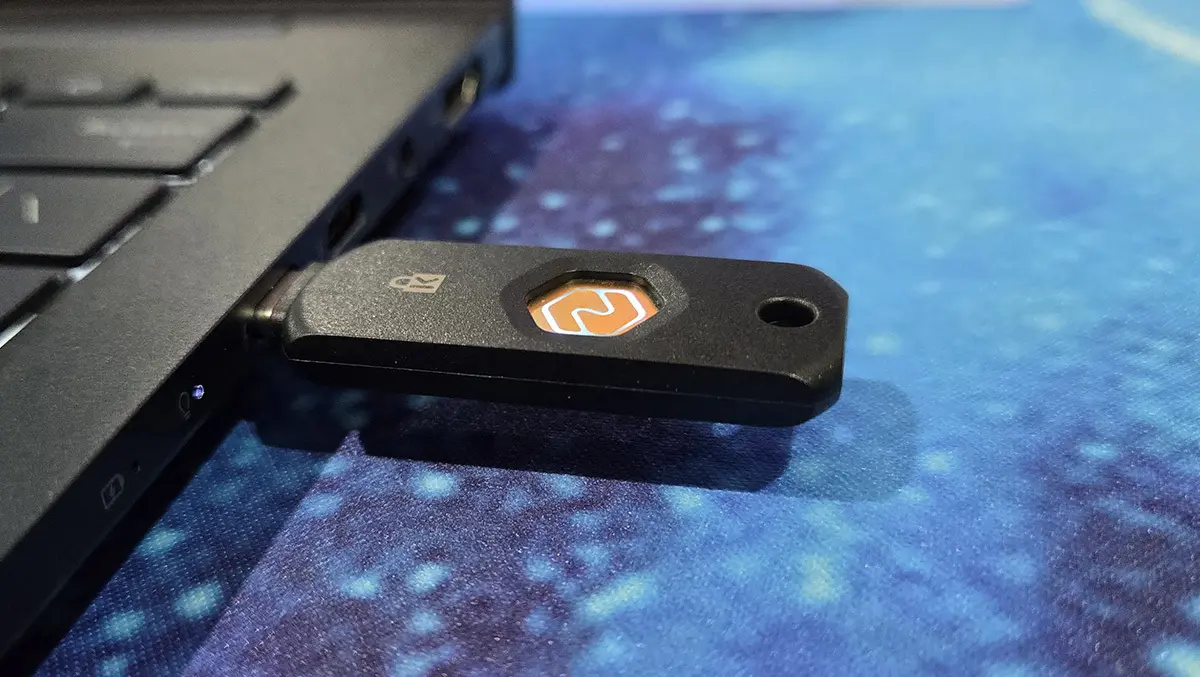
The Kensington VeriMark NFC+USB-C security key provides you with a physical digital key that you can use to access applications and systems. It looks like a USB stick keyring with a metal NFC pattern.
You may have seen an option to sign on to Windows or your favourite app via a passkey. This is where Kensington's security key comes in. It functions as a physical key to your data and/or apps.
I use a 3D program called SketchUp that I use across multiple devices, and it's always a pain to have to sign in and do the MFA. Thankfully, the software supports the use of security keys and was perfect to test out Kensington's device.
To set the key up, I just needed to download the VeriMark Key Manager from the Kensington website. After inserting the key, I was asked to set up a PIN.
You only need to do this for the initial setup. You don't need to install any software or drivers on other devices to use the key. The Kensington key uses the open passwordless FIDO2 standard created by the FIDO Alliance (Fast Identity Online).
With the Kensington VeriMark security key set up, I just select the security key option, touch the NFC logo, and enter my PIN to access my software. It's pretty convenient, but more importantly, it's secure.
I found being able to confidently access important accounts on 3rd-party machines, secure in the knowledge that nobody will get access to my credentials, to be particularly useful. As well as the USB-C version, the Kensington VeriMark security key is also available in USB Type-A format for older devices.
One of my main concerns with the key was durability. It is IP68-rated, which means that it is dust- and water-resistant, but you probably shouldn't go swimming with it. Practically speaking, the Kensington VeriMark security key has survived for the last two months on my keyring, getting smashed against other keys and a car fob in my pocket. The security key still looks as good as new and works without issue.
Kensington VeriMark NFC+USB-C is an enterprise-level security key that is reasonably cheap and easy to use. It offers a level of security far beyond 2FA but, at the same time, is a convenient way to sign in to important systems across multiple devices without having to input your sensitive data.