

Hands-on review: Avast Ultimate Business Security verdict
Wed, 4th Nov 2026 (Today)
Avast Ultimate Business Security combines browser protection, a VPN and automated patching, with its strongest appeal on Windows.
Avast Ultimate Business Security combines endpoint protection and software maintenance for smaller organisations. Its main attraction is central control: administrators can manage protection across computers without visiting each desk.
Ultimate adds patch management to the security and privacy tools available in lower tiers. It is most relevant to businesses that struggle to keep Windows applications updated. Newer browser and tamper protections address security gaps, though the package still needs careful configuration.
Central control
The browser-based Business Hub manages devices, subscriptions, security policies and reporting. Administrators can download an installer or generate a link for staff. Supported Windows environments also allow remote deployment.
The local application has a familiar antivirus layout. Staff can start scans and inspect quarantined items. Administrators can restrict local controls through policies to prevent users changing settings that should remain consistent.
Policies apply to devices rather than individual users. This suits assigned laptops and desktop PCs but is less flexible when employees regularly switch between shared computers.
Core protection
The toolkit combines file scanning, behavioural monitoring and protection against malicious web activity. A firewall controls network communications. Other tools address ransomware and potentially unsafe applications.
This range is useful, but configuration matters more than the number of controls. Administrators must decide which settings staff can change and how to handle exceptions. Overly broad exceptions can weaken protection.
The package supports Windows and macOS, but features differ. Buyers with a mixed fleet should compare the tools available on each platform.
Browser defence
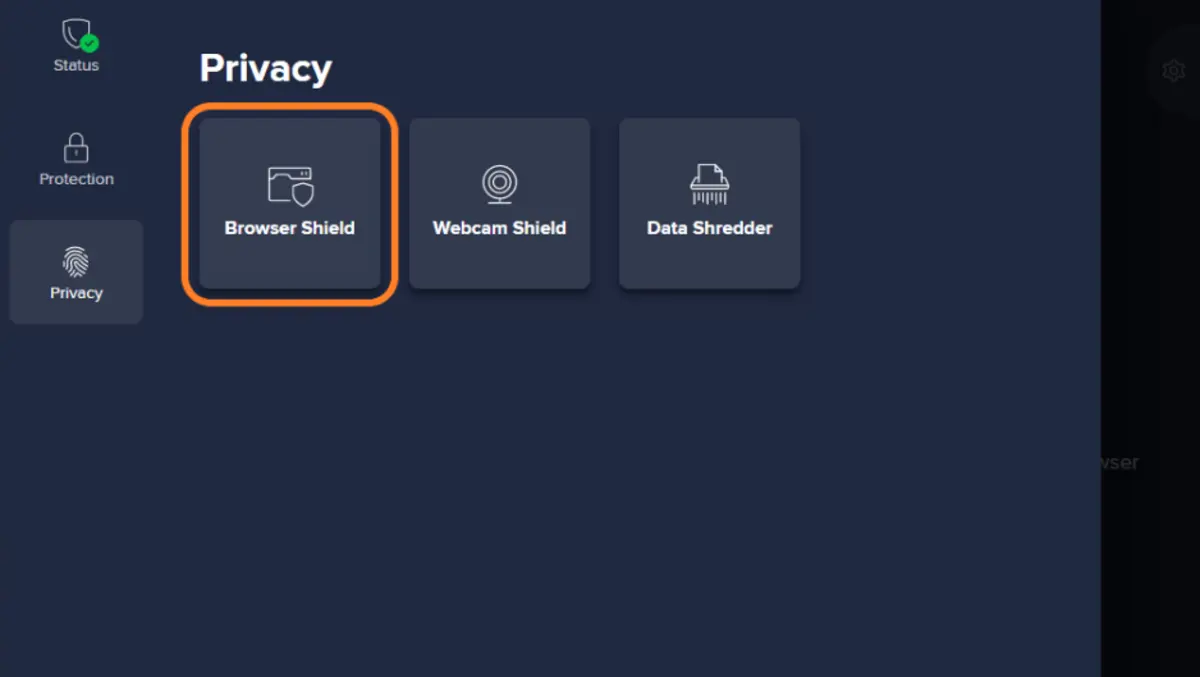
Browser Shield expands the former Password Protection component. It guards browser-stored passwords and blocks unauthorised access to cookies. On Windows workstations, it supports Chrome, Edge, Firefox and Avast Secure Browser.
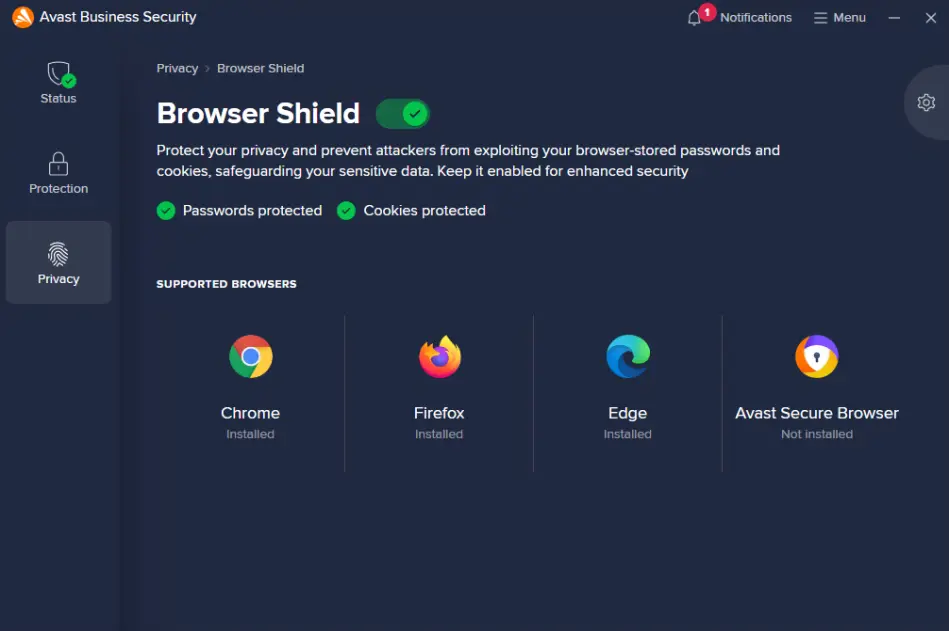
Some cookies maintain authenticated sessions, keeping staff signed into online services. Stealing them can give an attacker access to accounts without first obtaining the password.
Browser Shield can silently block unknown applications or ask whether to allow access. Silent blocking reduces interruptions. Prompts offer more visibility but leave users with another security decision.
This additional defence should complement account controls and a response plan for compromised devices.
Network settings
Real Site tackles DNS hijacking, which can redirect a correctly entered web address to an unauthorised destination. It offers different settings for trusted and untrusted networks.
Maximum protection reroutes all DNS traffic through Avast's secured DNS servers. Smart routing redirects unprotected DNS traffic and is the default for trusted networks. Encrypted DNS support extends protection to browsers using DNS over HTTPS.
Real Site is disabled by default in Business Hub policies. Administrators must enable it before the network-specific settings take effect.
These controls offer flexibility for laptops moving between office and public networks. Administrators should check compatibility with internal services that rely on company DNS.
Remote working
SecureLine VPN encrypts traffic between a device and an Avast VPN server. It is useful for staff using shared or untrusted networks.
Controls include server selection, automatic connection settings and a kill switch. The kill switch can block internet access if the VPN connection drops unexpectedly. Available protocols include WireGuard, OpenVPN and Avast Mimic.
SecureLine's updated infrastructure aims to improve performance, a useful development for travelling staff. Connection quality still needs checking on the networks employees use.
SecureLine is a personal VPN service. It does not itself provide remote access to a company's private network. Businesses needing that capability must arrange it separately.
Tamper resistance
Self-Defence helps protect the antivirus against unwanted changes or removal. Its input-manipulation setting is designed to stop untrusted programs sending fake keyboard and mouse inputs to the interface.
This addresses a specific route for tampering with security settings. It is a worthwhile layer because malware may try to weaken protection before taking other actions.
The feature should remain enabled during normal use. Administrators also need a clear process for restoring protection after troubleshooting.
Password changes
The old Passwords feature entered retirement, with users directed to Avast Password Manager. Its replacement is a standalone browser extension, separate from the antivirus application.
Password Manager stores and manages credentials. Browser Shield protects supported browser data against unauthorised application access.
Installing endpoint protection does not complete a password-manager rollout. Staff may need separate installation guidance and help moving existing credentials.
The extension supports Chrome, Edge and Firefox, synchronising passwords across supported browsers and mobile devices. This adds flexibility but gives staff a separate tool to learn.
Patch management
Patching is the clearest reason to choose Ultimate. The service identifies missing updates for Windows and supported third-party applications. Administrators can deploy patches remotely and schedule installations.
Managing patching alongside endpoint protection can reduce routine administration. It also makes neglected applications easier to identify across distributed teams.
The application catalogue may not cover every specialist business program. Buyers should check their software inventory against it before relying on the service.
Deployment schedules must account for working hours and restarts. Automation reduces repetitive work, but updates still need oversight where business applications have specific compatibility requirements.
Buying decision
Ultimate is most compelling for businesses with Windows computers, limited IT resources and no established patch-management system. Its central controls and broader browser protection address everyday administrative needs.
Organisations using mainly Macs have less reason to pay for the full package. The included personal VPN and patch-management features are unavailable on macOS. Businesses with separate patching tools should also check whether Ultimate duplicates existing capabilities.
Pricing depends on device numbers and subscription length. Compare renewal terms with the initial offer. A 30-day trial covering up to 100 devices allows businesses to assess deployment, application compatibility and network behaviour.
The verdict depends on whether patching fills a gap. If it does, Ultimate offers a practical combination of protection and maintenance. Otherwise, a lower tier may be more economical.