

Hands-on Review: Logitech MX Master 4 wireless mouse
Fri, 31st Oct 2025
At a glance, the MX Master 4 doesn't try to reinvent a classic. It keeps the familiar, sculpted silhouette that has made the MX line a desk staple, but layers on two headline upgrades: a haptic thumb panel and a new on-screen radial "Actions Ring" for rapid shortcuts. After a fortnight of daily work, writing, photo edits, spreadsheets and video calls, it feels like a confident refinement of a winning formula rather than a wild rethink.
Design & build
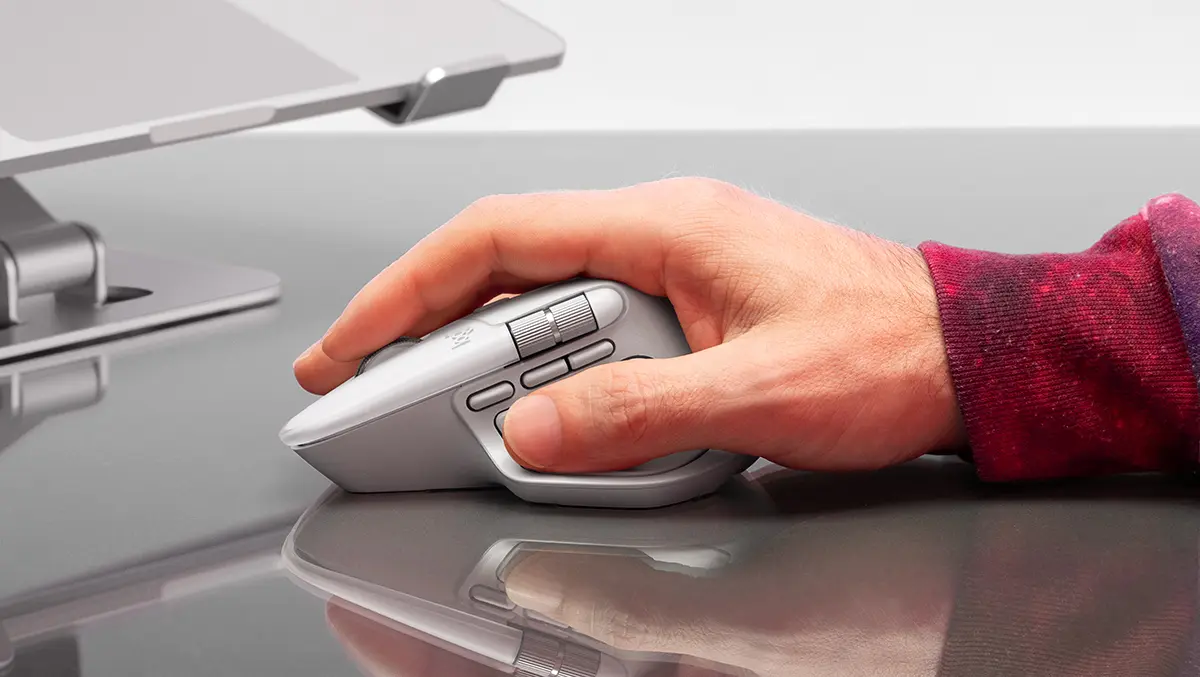
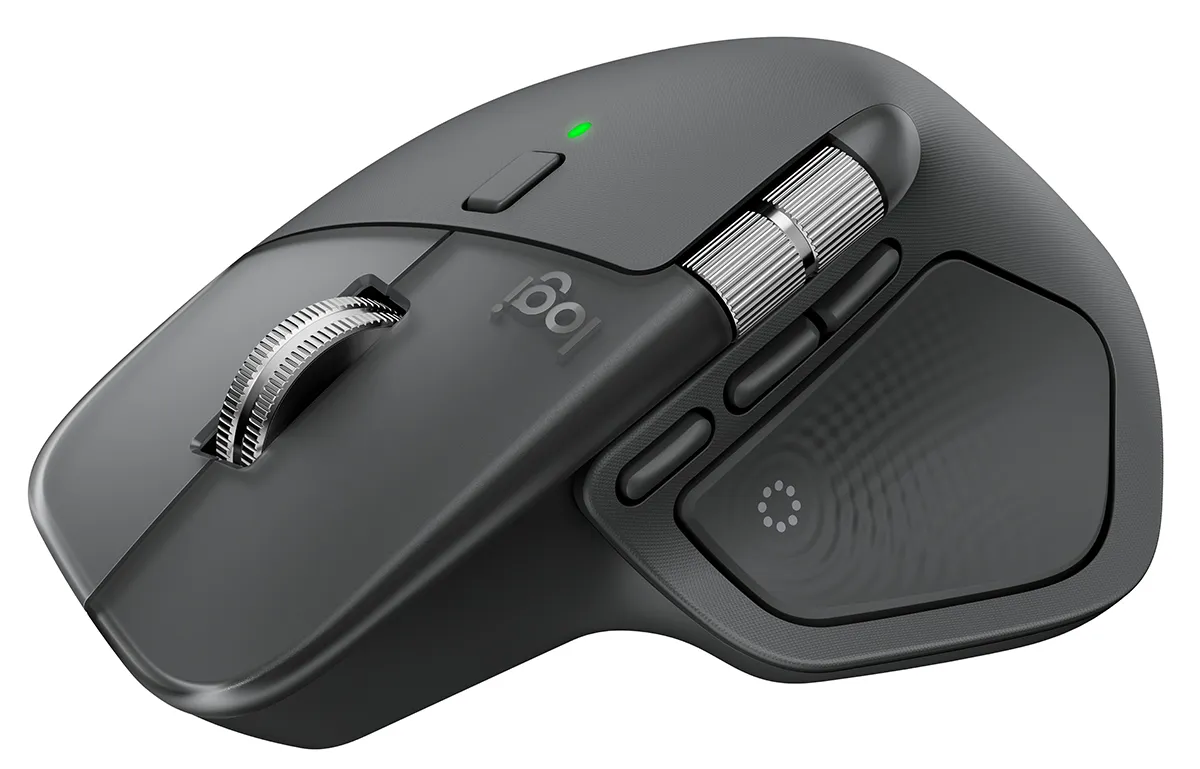
This is unmistakably an MX: tall arch, generous thumb rest and a purposeful heft that screams "work mouse" rather than travel accessory. Materials have been tweaked for longevity. The soft-touch coatings of older generations give way to firmer plastics and silicone that should resist the dreaded shiny wear patches. The aluminium main wheel remains a little piece of desk jewellery, and the side wheel is neatly damped. Everything feels tight and rattle-free, with clicks that are satisfyingly tactile yet impressively quiet.
If you throw your mouse in a bag, the harder finish can pick up the odd micro-scuff, but the overall construction is sturdier than before. There's still no place to store the USB receiver, which is a shame for commuters, but day to day the Master 4 looks and feels premium.
Ergonomics
Comfort is the point of the MX line, and the Master 4 keeps that promise. The body supports a relaxed palm grip, the hump nestles neatly under the hand, and the thumb ledge reduces the death-grip tension you get with flatter mice. The primary buttons are fractionally larger and easier to hit, while the side buttons avoid accidental presses. It's designed for right-handers only and it's a sizeable unit; small hands may feel slightly over-stretched. For medium to large hands, it's a superb all-day shape.
Haptics
The new star is the haptic "Sense" panel under the thumb. Press it and a gentle vibration confirms your action; hold it and an on-screen Actions Ring blooms around the cursor, ready for a flick to one of your chosen shortcuts. It sounds gimmicky, but in practice the feedback becomes a useful layer of confirmation - especially when you're eyes-up in a video timeline or nudging elements in a layout. The buzz is subtle even at higher strength, so the pointer doesn't wobble, and you can dial it back or disable it entirely.
I found the Actions Ring most valuable when set per app: brush sizing and layer toggles in Photoshop, zoom and timeline jumps in a video editor, and window management on the desktop. After a few days' muscle memory it feels natural and, crucially, quicker than mousing to tiny UI targets.
Scrolling & performance
MagSpeed remains the best scroll implementation on a productivity mouse. Slow turns give precise, notch-like control; flick hard and the wheel free-spins through long docs with a pleasing whisper. The side wheel continues to be a quiet superpower for wide sheets and timelines. Sensor tracking is crisp and confident on wood, fabric and even glass, and pointer behaviour stays smooth across multiple high-resolution displays.
This is not a gaming mouse and doesn't pretend to be. The polling rate and weight favour battery life and stability over esports twitch. For casual play it's perfectly fine; for competitive shooters you'll want something lighter and faster. As a work tool, though, responsiveness never once felt like a bottleneck.
Connectivity
Pairing is painless. You can connect via Bluetooth or the bundled Logi Bolt USB-C receiver and store up to three devices, switching with a tap. Handover between a laptop and desktop is seamless, and the connection is admirably stable even in crowded wireless environments. The receiver being USB-C will delight newer-laptop owners, though anyone with only USB-A ports will need an adapter. The mouse uses its USB-C port for charging only - you can keep working while it's plugged in, but it won't switch to a wired data mode.
Software
Logi Options+ is where the Master 4 comes alive. The app remains powerful yet approachable, with global remaps, application-specific profiles, Smart Actions macros and granular control over haptic strength and scrolling behaviour. The Actions Ring editor is particularly slick: drag-and-drop shortcuts into eight slices, assign keystrokes or macros, and you're off. It's easy to lose an hour fine-tuning a perfect workflow, but even a light touch - say, a ring for window snapping and media controls - pays immediate dividends.
Flow, Logitech's cross-computer trick, still feels like magic: slide the cursor off one machine and onto another, clipboard and files in tow. If you straddle Windows and macOS, the Master 4 handles that dance without fuss.
Battery
Endurance is excellent. With haptics set to medium and the usual power-saving naps, I used roughly half a charge after two weeks of eight-hour days. Quick top-ups are handy - pop the cable in for a minute over coffee and you're set for the afternoon. There's no cable in the box, which feels stingy at this price, but USB-C is ubiquitous now.
Value
The MX Master 4 sits at the premium end of the market, and it earns that spot. Against cheaper mice it feels like a tool rather than a peripheral: quieter, better built, more precise and far more adaptable. If you already own an MX Master 3 or 3S, the case for upgrading rests on how much the haptics and Actions Ring appeal, plus the tougher materials and refined ergonomics. For heavy creative work or anyone who lives in spreadsheets and browser tabs all day, those extras add up to a smoother rhythm.
Gripes
It wouldn't be an MX review without the usual caveats. There's still no left-handed version. The size won't suit everyone. The lack of receiver storage is inconvenient. And while the software is powerful, first-timers may need a little patience to discover where everything lives. None of these are deal-breakers, but they're worth noting.
Verdict
Logitech hasn't torn up the blueprint; it's sharpened it. The MX Master 4 keeps the sublime shape, stellar scrolling and work-ready poise that made its predecessors favourites, then adds thoughtful haptics and a genuinely useful shortcut system that trims the faff from common tasks. If your mouse is your main instrument, this is a classy, cleverly evolved upgrade that makes everyday work feel just that bit easier.