

Hands-on review: Pocket AI Notetaker handy but not revolutionary
Fri, 8th May 2026
Pocket's AI Notetaker is a small recorder paired with a companion app to turn spoken conversations into structured notes. It works well for capturing phone calls if you can live with a few hardware quirks and an ongoing subscription. As far as meeting transcription, the device is lacking.
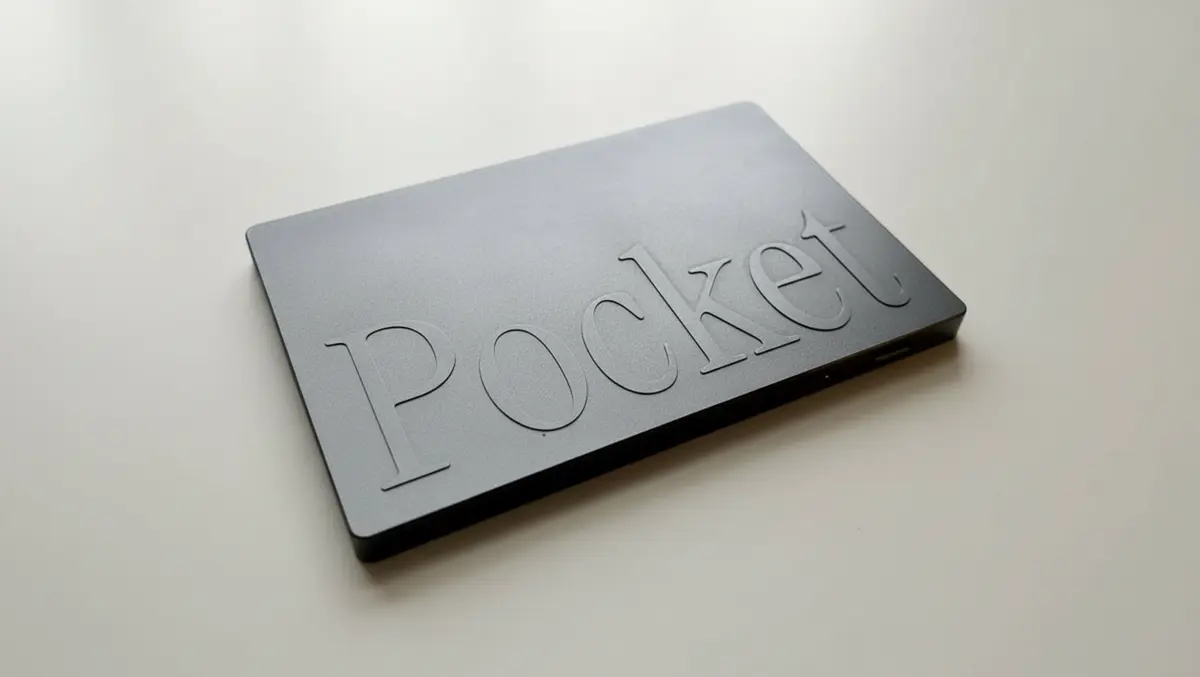
Pocket is roughly the size of a business card and features MagSafe. The casing feels solid, with a single multi-function button on the front. A small status LED sits near the top edge to show recording and pairing states. The design is understated and does not draw attention in a meeting room or café. There is no screen on the device, so you rely entirely on the LED and the app for feedback.
Pocket uses a one-button control scheme. A short press starts or stops a recording, while a long press powers the unit on and off. A side switch changes the device from normal in-person conversation mode to call mode, switching from recording in-person conversations using its own microphones, and it can also capture phone calls when attached near the handset's earpiece.
During testing, it was easy to double-tap by mistake, which can result in a series of very short clips instead of a single continuous recording. The LED glows during capture, but it is small and not very bright, so it can be hard to confirm status at a glance in bright light. People who like robust physical controls may find this limiting.
The device pairs with an iOS or Android app over Bluetooth. Setup takes only a few minutes: install the app, create an account, and follow the prompts to pair Pocket and grant the necessary microphone and Bluetooth permissions. Once paired, the connection remained stable with a recent iPhone in testing. There is no local configuration menu on the device itself, so all settings live in the app.
Pocket's app is where the product becomes useful. The home screen lists recordings in reverse chronological order with titles, timestamps and duration. Tapping into a recording shows the full transcript alongside playback controls. NO AUDIO PLAYS WHILE TRANSCRIPT
The main selling point is Pocket's automated analysis. Each recording gets a short written summary, followed by a set of bullet points highlighting key topics or decisions. There is also a dedicated section for action items, which identifies tasks and assigns suggested owners when names are clearly spoken. In practice, the summaries are concise and generally reflect the tone of the meeting. The model is good at capturing decisions and follow-ups, especially in structured discussions with clear turn-taking. It is less reliable in chaotic group conversations, where people talk over one another. In those cases, the summary can miss nuance or attribute a point to the wrong speaker, so you still need to skim the transcript.
Transcription accuracy is strong in quiet conditions. Clear, mid-range voices in a small room are usually rendered with only minor errors. Proper nouns and company-specific jargon are more hit and miss, but the meaning is rarely lost. The call recording performance is similar: domestic calls over a mobile network were transcribed accurately at reasonable volume levels. Very faint callers or poor connections led to more missed words.
Beyond basic transcripts, the app offers tools to organise and revisit material. You can assign recordings to projects, add manual tags, or pin important sessions to the top of the list. There are options to generate mind maps that show topics and subtopics from a meeting, which can be helpful when planning follow-up work. The app can also create calendar events from action items and email a summary to participants if you want to share notes. Export options include plain text and, in some cases, formatted summaries that drop into a document or note-taking app with minimal cleanup. These options make Pocket more useful to project managers and knowledge workers who need to track many conversations.
Pocket's battery life is in the multi-day range for light to moderate use. In testing, the device comfortably handled a few hours of recording spread across several days without needing a charge. Heavy users who capture several long meetings each day will want to charge it nightly to avoid a missed conversation caused by power depletion. Charging is via USB-C on the side, and a full charge takes less than a couple of hours from empty. There is no wireless charging or battery level indicator on the device, so you rely on the app to see the remaining charge. That is acceptable in regular use but less convenient if you forget to check before leaving the house.
Pocket stores and processes recordings in the cloud, with encryption in transit and at rest. The company states that it does not sell user data and that recordings are not used to train public models without consent. You can delete individual recordings or wipe your entire history from within the app. There are also options to disable cloud retention after processing, although this removes the ability to revisit full transcripts. People working with sensitive information should still check organisational policies before adopting a tool like this, as it introduces a third-party service into their workflow.
The hardware is a one-off purchase, but most of the value sits behind a subscription. Unlimited or high-volume transcription and advanced AI features require a monthly or annual plan. There is a free tier with limited minutes and basic functionality, which is useful for short tests. Anyone using Pocket for regular meetings or long calls will bump into the limits quickly. Pricing is roughly in line with other AI note-taking services, but buyers should factor the ongoing cost into their decision. For occasional users, a purely app-based recorder may be more economical.
Pocket suits people who spend much of their day in conversation and want an unobtrusive way to capture those conversations. People who already use phone-based transcription apps may see less benefit, but the dedicated hardware removes friction. I use Otter.ai for my day-to-day transcription, and I find the app works better - mainly because I can listen to the audio while reading the transcript.
You can start recording without unlocking your handset or opening an app, which makes spontaneous interactions easier to capture. Those who dislike carrying extra gadgets, or who need deep integration with existing enterprise tools, may not find enough here to justify the cost.