

Hands-on Review: BenQ ScreenBar Pro
Mon, 18th Aug 2025
With so many New Zealanders now working remotely, having a dedicated desk setup at home has become the norm for professionals.
Government statistics suggest that around 900,000 New Zealanders now benefit from some form of remote working, so it's no surprise that products like the BenQ ScreenBar Pro are becoming more commonplace as workers invest more to ensure they have a comfortable workspace to increase both productivity and wellbeing.
The ScreenBar Pro is a simple product on paper, but its functionality, simplicity, and non-obtrusive, classy design can transform your desk into a spot you can feel relaxed and motivated at.
First impressions and setup
The first thing you notice when setting up the ScreenBar Pro is that BenQ has made a real effort with its packaging on this product – all the materials used are paper-based, and you can tell that a lot of thought has been put into ensuring that everything is eco-friendly.
Setting up the ScreenBar Pro is straightforward. A power adaptor is included in the box, but the USB-C cable can be plugged into a power source of your choice.
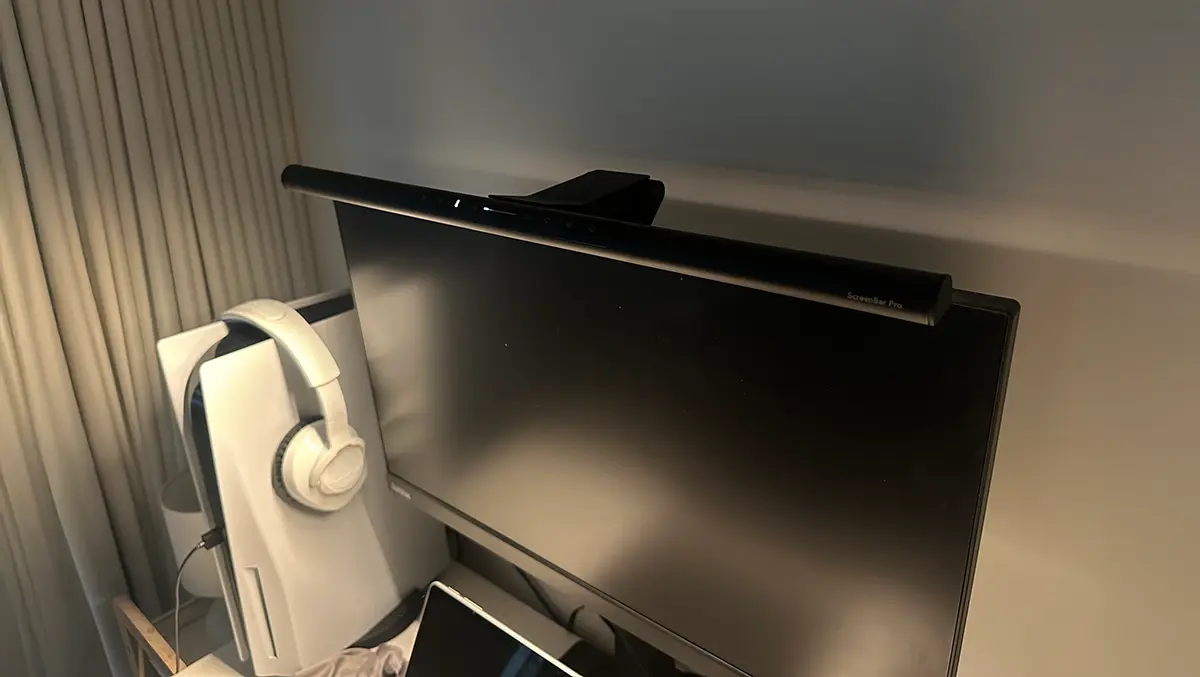
Mounting the device to your monitor is just as easy thanks to BenQ's patented clamp design, which has a unique 'rear foot' to attach securely to the majority of monitors.
Once mounted, the ScreenBar Pro looks great. At 50cm in length, it sits neatly across almost the entire width of a 22-inch monitor but sits just at the right height to avoid any obstruction. Constructed from a range of alloys, it feels solid and built to last.
There are no physical buttons on the ScreenBar Pro, instead there are a selection of touchscreen buttons across the front of the lightbar. These look great but they aren't as responsive as they should be and there's no haptic feedback. A welcomed addition would have been a wireless controller that you can place on your desk.
Performance
The more you use the ScreenBar Pro, the more you appreciate it. One of the most noticeable features is the field of light produced by the LEDs – enough to fully illuminate even a large desk. This is one benefit that a lightbar gives you that perhaps a regular desk lamp doesn't. The centre of the ScreenBar Pro produces 1,000 lux and this gradually reduces the further you move away from the middle, resulting in the perfect radiance for your workspace.
If you choose to have it activated, an ultrasonic sensor built into the mount can detect movement and automatically switch on as you approach your desk and sit down. It will also recognise when you're no longer there and switch itself off. The way the sensor is designed means it has a limited range to prevent the ScreenBar Pro from switching on if someone just walks by. The sensor also figures out the optimum lighting based on how bright your room is to help reduce eye strain.
Alternatively, the buttons on the ScreenBar Pro allow you to toggle between warm and white light and toggle the brightness to tailor the illumination to your liking. There are a total of 16 levels of brightness and eight colour temperatures available, and you can store a favourite by using a dedicated button.
Verdict
The ScreenBar Pro is available now from select retailers for around NZD $299. While this may be on the more expensive side for a lightbar, I believe it's worth the price given the benefits it provides.
If you work from home or sit at your desk for long periods of time, the BenQ ScreenBar Pro is a product that you won't regret investing in. A lightbar can make a huge difference to your workspace, and the ScreenBar Pro doesn't just look great - it functions beautifully and is built to last.